FATE LOST / HELP CENTER
Fate made its choice.
Now make yours.
Find your way through the realms, get help with a run, and see how Fate Lost handles your information.
 EVERY RUN IS A CHOICE.
YOUR NEXT RUN STARTS HERE
Support
Fate decided your life was over. You can choose to fight for another chance.
Survive the hordes, build your hero as you go, and conquer realm after realm until you can challenge Fate's judgment. If something gets in the way, the answers below can help.
Tell me what happened.
For bugs or questions, include your device model, iOS version, what happened, and a screenshot if you have one.
THE BASICS
How to play
Move and fight
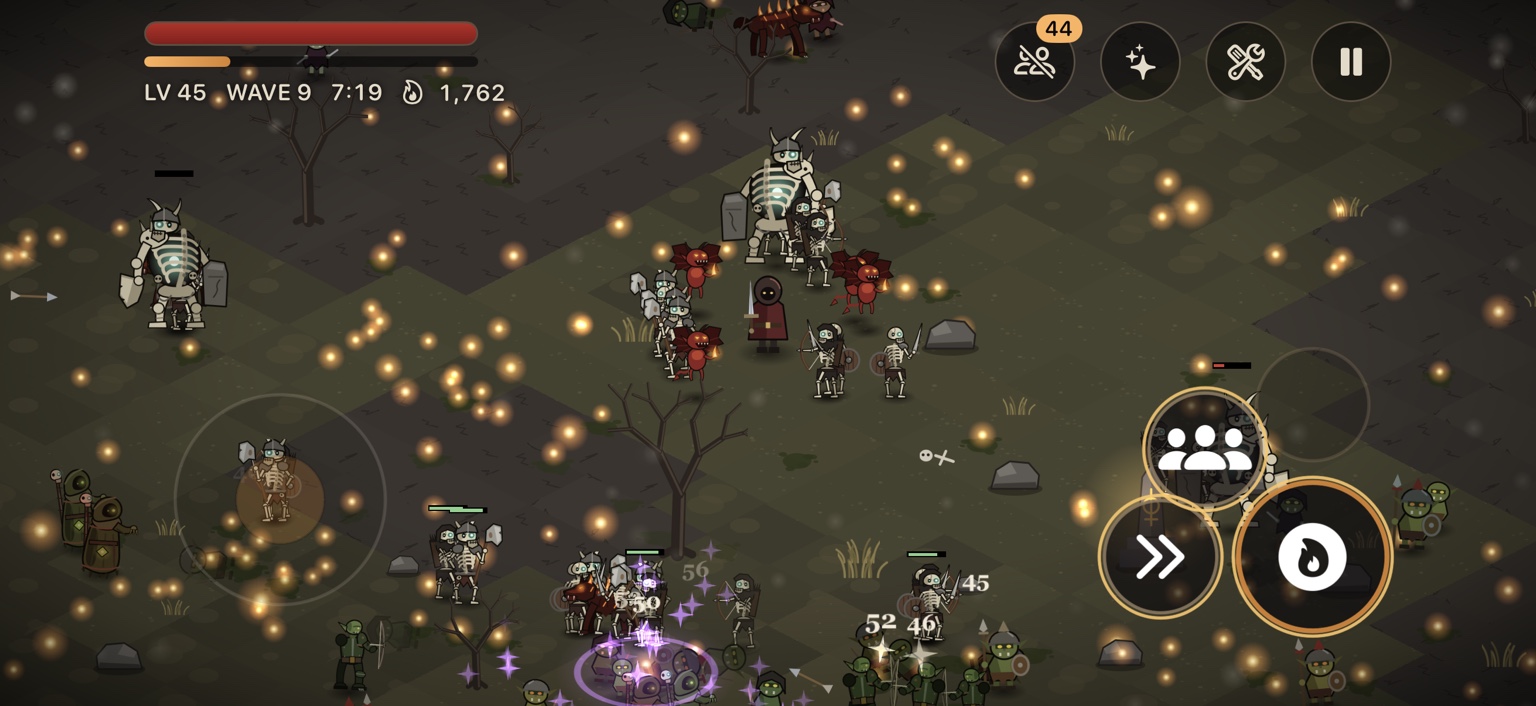
Move with the on-screen joystick. Your weapon attacks automatically. Tap an ability slot to cast an equipped ability.
Make a build
Collect experience to level up, then spend points in the skill tree. Multiclass across 11 archetypes; pair two to unlock special Orders.
Survive the realm
Every fifth wave brings a boss. Defeat the realm's final boss to conquer it and unlock the next realm.
BETWEEN RUNS
What carries forward?
Echoes & Legacy
Earn Echoes at the end of every run, win or lose. Spend them on permanent bonuses on the Legacy board, new weapons in the Armoury, and cosmetics.
Weapon Mastery
Mastery ranks apply only to runs started with that weapon.
Relics & Codex
Relics drop from chests during a run and disappear when the run ends. Your Codex remembers every relic you've found.
Shrines
Blood, Fortune, and Ruin bargains can change a run. Choose carefully.
BEYOND THE NEXT WAVE
Realms, Fate & rifts
Ten realms await, each harder than the last, with its own enemies, bosses, and hazards. At the end of the Abyss, face Fate itself.
Fate's Echo
Defeat Fate to unlock an endless realm. Enemies grow stronger every five waves. Every ten waves, choose to bank your Echoes and leave or keep going. Die before banking, and those Echoes are lost.
When a boss falls, a rift may open. Step through to challenge a Rift Guardian for rare rewards.
FIGHT TOGETHER
Co-op
Play online with 2–4 friends. One player hosts; the others join using the party code. If a friend falls, stand at their marker to revive them. If the host leaves or loses connection, the party ends.
QUICK ANSWERS
Common questions
Is my progress saved?
Yes, automatically on your device. Progress does not sync between devices.
Can I start over?
Yes. Settings → Seal Your Fate erases your progress. This cannot be undone.
Are there ads?
Only if you choose to watch one. Optional rewarded ads can revive you once per solo run at half health, double Echoes for ten minutes of solo play, or grant Rift's Calling for a 10% rift-chance boost for ten minutes of solo play. Ads never play automatically.
How do the timed ad boons work?
Boon time counts down only while you're playing, and stacks with each ad you choose to watch. Revives and boons work only in solo play; a party cannot pause for one player's ad.
An ad didn't give me my reward.
A reward is granted only when the ad finishes. If it closes early or fails to load, no reward is given. You can try again.
How do I change my ad privacy choices?
Open Settings → Privacy Choices where this option is shown. You can change tracking permission in iOS Settings → Privacy & Security → Tracking. See the privacy policy for more.
The game is lagging with lots of enemies.
Close other apps and turn off Low Power Mode. Very large hordes can be demanding on older devices.
I can't connect to a co-op party.
Check your internet connection and the party code. If the host leaves or loses connection, the party ends.
YOUR DATA, YOUR CHOICES
Privacy policy
The short version
Your game progress is saved on your device and does not sync between devices. Online co-op needs a network connection. Optional rewarded ads use Google AdMob, which may process device and ad-use information. You can manage ad choices in the game where offered and tracking permission in iOS Settings.
Effective September 27, 2026. This policy covers the Fate Lost iPhone app from Wicked Studios (“we”, “us”).
1. Game data on your device
Fate Lost saves progress and settings locally, including Echoes, Legacy upgrades, unlocked weapons and cosmetics, and your Codex discoveries. This progress is not synced between devices. You can erase it with Settings → Seal Your Fate; that action cannot be undone. Your device's own backup settings may separately affect whether app data appears in a backup.
2. Online co-op
To host or join a party, the game needs to exchange a party code and gameplay information such as player actions, positions, and revive state so everyone can play together. Online connections can involve technical information such as IP addresses and connection diagnostics. Share party codes only with people you want to play with.
3. Optional advertising
Fate Lost offers only optional rewarded ads through Google AdMob. Ads do not play automatically. The Google Mobile Ads SDK may process data such as IP address (which can indicate an approximate location), device or app identifiers, app and device performance, crash diagnostics, and ad views or interactions to deliver, measure, and improve ads. The iOS advertising identifier may be used if you grant the relevant tracking permission. Google's handling of that information is described in its privacy policy and its information about partner apps.
4. Privacy choices
If Settings → Privacy Choices appears in your region, use it to review or change the ad privacy choices offered there. You can manage the app's tracking permission separately in iOS Settings → Privacy & Security → Tracking. Changing an ad choice does not erase your local game progress. You can play without watching rewarded ads.
5. When you contact support
If you email us, we receive your email address and the information you choose to send, such as your device details, a description of the issue, or a screenshot. We use it to respond and investigate the issue. To ask about or request deletion of your support correspondence, email the address below.
6. Changes and contact
We may update this policy if the app or its services change. The effective date above will show when the policy was last revised. For privacy questions, contact wickedstudiosca@gmail.com.